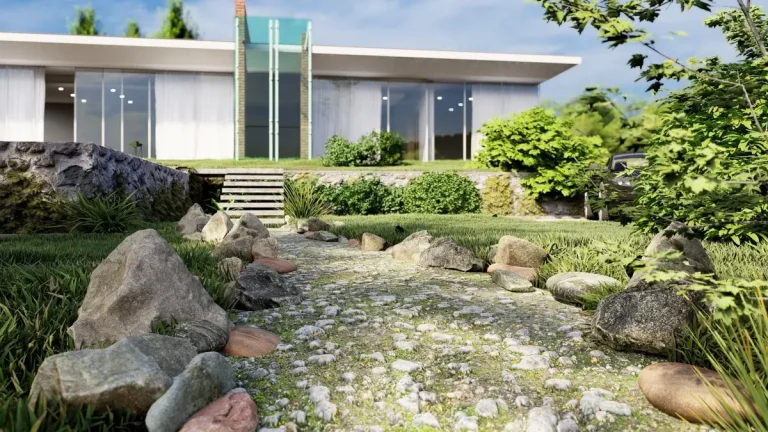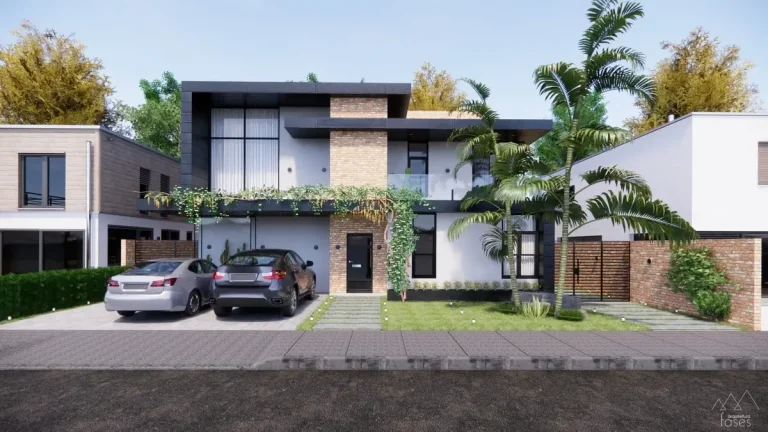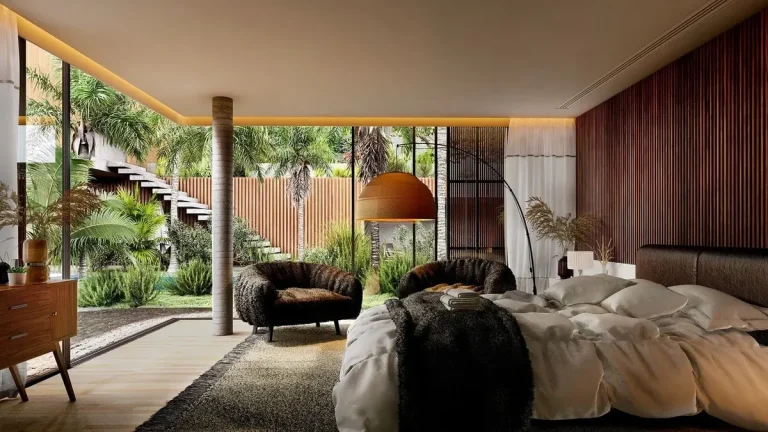

Imagine walking through a beautifully designed garden, seeing every curve of the pathway, the dappled sunlight filtering through the trees, and the texture of each paving stone—all before a single plant is in the ground. This is the transformative power of 3D visualization in landscape design.
Gone are the days when clients and designers had to rely solely on flat sketches or vague blueprints to communicate ideas. With cutting-edge 3D technology, landscape architects can now craft lifelike, interactive models that bring outdoor spaces to life—bridging the gap between imagination and reality.
In this post, we’ll uncover what is 3D visualization, why it’s revolutionizing the world of landscape design, and how it can help you create spaces that are not only visually stunning but also highly functional. Whether you’re a professional designer or someone looking to enhance your outdoor projects, this guide has everything you need to know.
What Is 3D Visualization?
3D visualization refers to the creation of three-dimensional digital models that represent real-life landscapes, structures, or spaces. In landscape design, this technology allows designers to craft immersive visual presentations of outdoor spaces, showcasing elements like vegetation, hardscapes, water features, lighting, and furniture in a realistic environment.
Unlike traditional 2D drawings, 3D visualization provides depth, perspective, and interactivity, making it easier for clients and designers to visualize the final result.
Table of Contents
Key Features of 3D Visualization in Landscape Design
- Photorealism: Advanced rendering techniques simulate natural lighting, textures, and materials, producing images almost indistinguishable from photographs.
- Interactivity: Users can navigate the space from different angles, adjust features in real-time, or view designs under various lighting conditions.
- Accuracy: Dimensions, proportions, and spatial relationships are represented precisely, ensuring designs translate seamlessly into reality.
The Role of 3D Visualization in Landscape Design
3D visualization is a vital tool in the design process for several reasons:
- Enhanced Communication: Designers can effectively convey their vision to clients, ensuring everyone understands the project’s scope and aesthetic.
- Improved Decision-Making: Clients can provide informed feedback when they see a lifelike representation of the proposed design.
- Streamlined Collaboration: Architects, engineers, and contractors can coordinate more efficiently using detailed visual models.
- Error Prevention: Identifying potential design flaws in the virtual model saves time and costs during construction.
How 3D Visualization Works
Creating a 3D landscape design involves several steps:
1. Concept Development
Designers start by understanding the project’s goals, site constraints, and client preferences. This stage may involve site analysis, brainstorming sessions, and sketching initial ideas.
2. Digital Modeling
Using specialized software, designers build a 3D model of the outdoor space. This step involves:
- Mapping the terrain and topography.
- Adding hardscape elements (e.g., pathways, patios).
- Placing plants, water features, and decorative items.

3. Texturing and Lighting
Materials, textures, and colors are applied to surfaces, while lighting settings are adjusted to simulate different times of day or weather conditions.
4. Rendering
The final step involves creating photorealistic images or animations using rendering software. These outputs can be static visuals or interactive walk-throughs.
Popular Landscape Design Visualization Tools
Numerous 3D landscape design software tools are available for creating stunning 3D visualizations. Some of the most popular options include:
1. SketchUp
- Why Use It: User-friendly interface, ideal for beginners.
- Key Features: 3D modeling, rendering plugins like V-Ray.
2. ArchiCAD
- Why Use It: Industry standard for precision drafting.
- Key Features: 2D and 3D design capabilities.
3. Lumion
- Why Use It: High-quality rendering and real-time visualization.
- Key Features: Extensive material library, animated environments.
4. Rhino
- Why Use It: Advanced modeling for complex designs.
- Key Features: Grasshopper integration for parametric design.
5. Revit
- Why Use It: Ideal for large-scale projects requiring collaboration.
- Key Features: BIM integration, detailed 3D modeling.
Learn more: Top 10 Best Landscape Design Tools for Professionals in 2024
Benefits of 3D Visualization in Landscape Design
1. Clarity and Realism
3D visualization brings designs to life, making it easier for clients to understand complex ideas and envision the final result.
2. Increased Client Satisfaction
When clients can see a realistic preview of their project, they’re more likely to feel confident in the design process and satisfied with the outcome.
3. Cost and Time Efficiency
Visualizing and refining designs digitally reduces costly revisions and delays during construction.
4. Design Flexibility
3D models allow designers to experiment with various layouts, materials, and styles quickly, without committing to physical changes.
5. Marketing and Presentation
High-quality 3D renderings are powerful tools for marketing, presentations, and securing new clients.
Applications of 3D Visualization in Landscape Design
- Residential Landscapes: Creating personalized outdoor spaces, including patios, gardens, and pools.
- Urban Planning: Visualizing parks, public spaces, and pedestrian-friendly areas.
- Commercial Projects: Designing functional and aesthetic spaces for offices, hotels, and resorts.
- Environmental Restoration: Planning eco-friendly solutions like wetlands or green corridors.
Challenges of 3D Visualization in Landscape Design
While 3D visualization is incredibly beneficial, it comes with its challenges:
1. Learning Curve
Mastering 3D modeling and rendering software requires time and practice.
2. High Initial Costs
The software and hardware required for professional-grade 3D visualization can be expensive.
3. Overreliance on Technology
Relying too heavily on digital tools may overshadow traditional design skills or lead to unrealistic expectations.
Trends in 3D Visualization for Landscape Design
1. Virtual Reality (VR)
Clients can immerse themselves in the design through VR headsets, exploring spaces in 360°.
2. Augmented Reality (AR)
AR allows users to view 3D designs overlaid on their physical environment using a smartphone or tablet.
3. AI-Enhanced Rendering
Artificial intelligence speeds up rendering processes and improves realism.
4. Sustainability Integration
3D tools now include features to simulate environmental impacts, like water flow and sun exposure, to promote sustainable design.
FAQs About 3D Visualization in Landscape Design
Q: Is 3D visualization necessary for all landscape design projects?
A: While not mandatory, 3D visualization enhances the design process and is especially useful for complex or high-budget projects.
Q: Can clients make changes during the visualization stage?
A: Absolutely! 3D models are flexible, allowing for real-time adjustments based on client feedback.
Q: Is 3D visualization expensive?
A: Costs vary depending on the project size and tools used, but the investment often pays off by preventing costly errors and ensuring client satisfaction.
Conclusion
3D visualization has redefined the landscape design process, bridging the gap between ideas and reality. It empowers designers to communicate their vision, enables clients to make informed decisions, and ensures flawless execution of projects.
Whether you’re a seasoned professional or just starting in landscape design, incorporating 3D visualization into your workflow is a must to stay competitive and deliver exceptional results.
Ready to transform your design process with 3D visualization? Start exploring tools like SketchUp, Lumion, or Rhino today!